
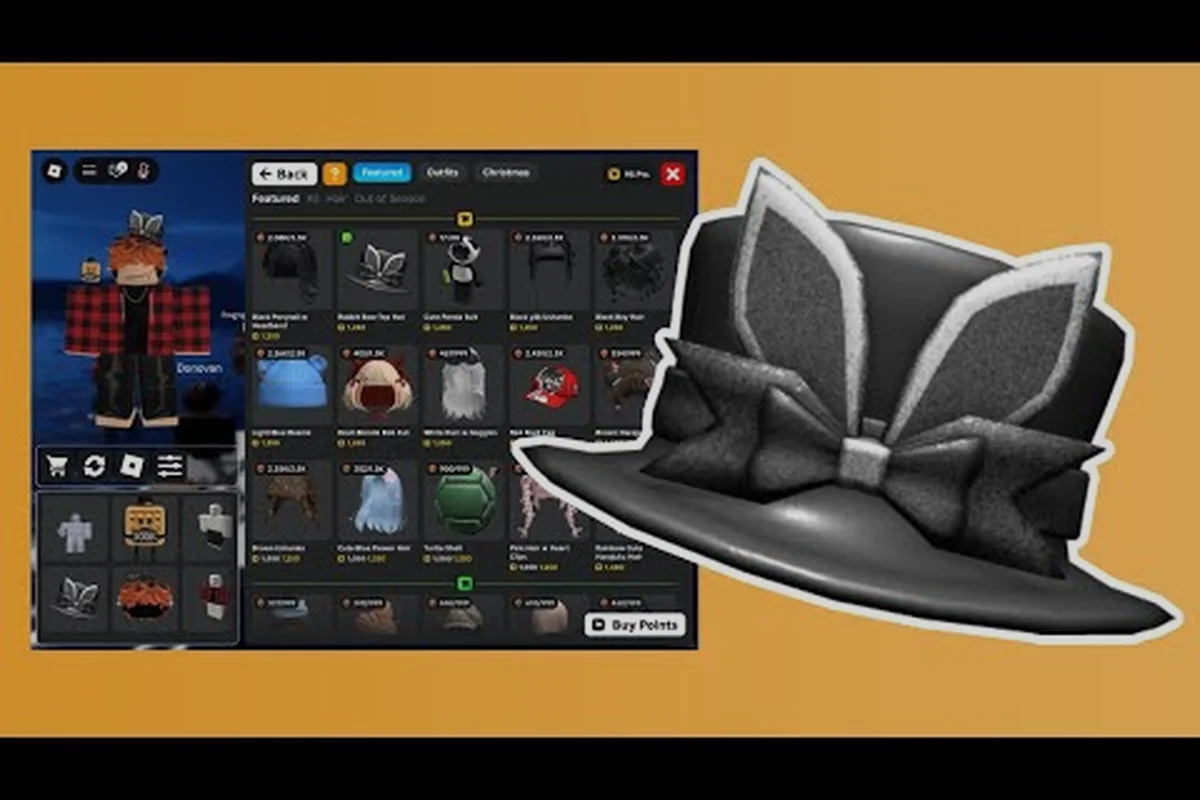
Building a wardrobe in My Avatar feels different from other Roblox dress-up games because the catalog pulls from the entire platform inventory, which means your my avatar outfit showcase can pull inspiration from millions of community-created pieces. The try-on system lets you preview every item on your actual avatar before spending a single Point, and that preview-first workflow is what separates a messy impulse closet from a curated outfit list you actually want to display. This guide walks through the showcase loop: finding inspiration, previewing looks, saving outfits, and organizing a personal list that reflects your style.
How the My Avatar Outfit Showcase Works
The core loop of the my avatar outfit showcase revolves around browsing community-made outfits, trying them on instantly, and deciding what earns a permanent slot in your saved collection. When you open the experience, you land in a hub that surfaces trending outfits, seasonal themes, and recently favorited looks from other players. Each outfit card shows the full avatar render, the item count, and a Point value if the pieces are purchasable through the in-game shop.
What makes this system genuinely useful is the instant preview engine. Clicking any outfit card applies the entire look to your avatar in real time, so you can rotate the camera, zoom into accessories, and check how layered clothing sits on your specific body type before committing. According to the official My Avatar page on Roblox, everything you buy through the experience saves directly to your Roblox inventory and works across every other game on the platform, which is a huge advantage over isolated dress-up titles.
The showcase also feeds into the Point Store, a reward layer that gives you free accessories for shopping activity. Every purchase earns Points, and those Points unlock 100+ free items that never touch your Robux balance. Community reports suggest that players who treat the showcase as a weekly browsing ritual accumulate enough Points for a free accessory every few sessions, especially when new codes drop through the official Discord.
Previewing Before You Commit
The try-on workflow is the heart of the my avatar outfit preview experience. Rather than guessing how a hat pairs with a jacket, you can stack items, swap colors, and test themed combinations without spending anything. The preview state persists while you browse, so you can hold a base outfit and audition different accessories against it.
| Preview Action | What It Shows | Why It Matters |
|---|---|---|
| Full outfit card click | Complete look on your avatar | Judges overall cohesion instantly |
| Single item try-on | One accessory against current outfit | Tests compatibility with existing pieces |
| 360-degree rotation | How layers sit from all angles | Catches clipping or awkward back details |
| Point value check | Cost before purchase | Prevents accidental Point spending |
| Inventory cross-check | Whether you already own pieces | Avoids duplicate purchases |
This table matters because the preview system is where most players refine their taste. A look that appears stunning in a thumbnail can fall apart when you see how the shoulder accessory intersects with a layered jacket, and catching that before spending Points is the entire value proposition of the showcase.
Finding My Avatar Outfit Inspiration That Actually Fits
My avatar outfit inspiration comes from three main sources inside the experience: the trending feed, the community showcase boards, and the seasonal event collections. Each source has a different strength, and knowing which one to browse depends on whether you want broad discovery or targeted reference for a specific theme.
The trending feed surfaces what the broader player base is favoriting right now, which is useful for staying current but can feel repetitive if you browse daily. The community showcase boards, maintained by the THINK DIFFERENT. group, rotate featured outfits from active creators and often include theme prompts like "cyberpunk week" or "cottagecore challenge" that push you toward looks you would not assemble on your own. Seasonal collections appear around holidays and typically include limited-time pieces that become rare after the event ends.
| Inspiration Source | Best For | Refresh Rate | Unique Pieces |
|---|---|---|---|
| Trending feed | Current popular styles | Hourly | Low to medium |
| Community boards | Themed challenges | Weekly | Medium to high |
| Seasonal events | Limited-time items | Event-based | High |
| Point Store previews | Free accessory ideas | Monthly | Medium |
| Creator spotlights | Signature aesthetics | Weekly | High |
The creator spotlight section deserves special attention because it shows how experienced players layer pieces from completely different catalog categories. Watching a creator combine a vintage hat with a futuristic visor teaches you more about outfit construction than browsing fifty random trending cards, and you can save those reference looks to your outfit list for later study.
Building a Reference Library
One underrated habit is treating your saved outfits as a reference library rather than just a closet. When you find an outfit that has one brilliant element—a color palette, a layering trick, or an accessory pairing—save it even if you would never wear the full look. Over time, this library becomes your personal style guide, and you can pull individual ideas from different saved outfits to build something original.
Organizing Your My Avatar Outfit List for Quick Access
The my avatar outfit list is only as useful as your organization system. Without a naming convention or category structure, you end up scrolling through dozens of saved looks trying to remember which one had the right jacket for a specific occasion. The experience lets you save outfits to your Roblox inventory, but the real organizational work happens in how you name and sequence them.
A practical system uses prefix tags in outfit names. For example, naming saved outfits with prefixes like CAS, FANT, HOL, or RARE lets you scan your list and instantly identify casual looks, fantasy builds, holiday themes, or rare-item showcases. Players who adopt this system report spending significantly less time hunting for specific outfits when they want to switch before joining a different game.
| Prefix Tag | Category | Example Use Case |
|---|---|---|
| CAS | Casual everyday | Default look for social hangouts |
| FANT | Fantasy or themed | Roleplay servers, themed events |
| HOL | Holiday or seasonal | Christmas, Halloween, New Year |
| RARE | Limited or expensive pieces | Showing off collection highlights |
| EXP | Experimental or WIP | Outfits still being refined |
The naming system matters because your saved outfits travel with you across every Roblox experience. When you join a roleplay game, a horror game, or a social hangout, having clearly categorized outfits means you can switch to the right look in seconds instead of scrolling through an undifferentiated list. The outfit catalog guide covers themed outfit construction in more depth if you want to build out specific categories.
Turning Showcase Browsing Into a Saving Habit
The difference between players with impressive my avatar outfit showcase collections and those with cluttered inventories comes down to saving discipline. It is tempting to save every outfit that catches your eye, but that approach buries your genuinely great finds under a pile of mediocre impulse saves. A better habit is to use the preview system as a filter: try on an outfit, rotate it fully, and ask whether you would wear it in three different contexts before saving.
This discipline extends to the my avatar save outfits workflow. When you save an outfit, you are not just bookmarking a look—you are adding it to a list that represents your taste to anyone who views your profile. Community data suggests that players who curate their saved outfits to a tight 15-25 looks receive more profile views and outfit compliments than those with 100+ unsorted saves, because a focused collection reads as intentional style rather than hoarding.
| Saving Habit | Impact on Collection | Long-Term Benefit |
|---|---|---|
| Preview fully before saving | Fewer regret saves | Cleaner list, better taste signal |
| Use prefix naming tags | Instant category scanning | Faster outfit switching |
| Weekly list review | Removes stale looks | Keeps collection current |
| Save reference pieces separately | Builds style library | Faster original outfit creation |
| Limit active list to 25 looks | Stronger curation signal | More profile engagement |
The weekly review is the habit most players skip, but it is the one that keeps your my avatar outfit list feeling alive. Every week, spend five minutes scrolling your saved outfits and removing anything you have not worn or referenced in the past month. This keeps your collection tight and forces you to make deliberate choices about what earns a permanent slot.
Avoiding the Hoarding Trap
The hoarding trap happens when you treat the showcase as a collection game rather than a style tool. Because the Point Store rewards shopping activity, there is a subtle incentive to buy pieces you do not need just to earn Points. The counter-move is to separate your shopping activity from your saving decisions: buy pieces strategically for Point accumulation, but only save outfits that genuinely represent looks you want to display.
Advanced Showcase Techniques for Standout Looks
Once you have the basics down, the my avatar outfit showcase becomes a playground for advanced layering and color theory. The most impressive community looks rarely rely on a single expensive item; instead, they combine budget pieces with one statement accessory to create contrast and visual interest. This approach also stretches your Point budget further, because you are not trying to make every slot expensive.
Color coordination is the single biggest differentiator between random outfits and curated looks. A simple rule that works across most themes is the 60-30-10 palette: 60% of the outfit uses a dominant color, 30% uses a secondary color, and 10% uses an accent color that pops. Applying this rule to the preview system means checking that your jacket, pants, and hat share the dominant color while your shoes or a single accessory provide the accent.
| Technique | What It Does | Difficulty | Point Cost Impact |
|---|---|---|---|
| 60-30-10 color palette | Creates visual cohesion | Beginner | None |
| Statement accessory focus | Adds focal point | Beginner | Low |
| Layered clothing stacking | Adds depth and texture | Intermediate | Medium |
| Themed silhouette matching | Fits specific game contexts | Intermediate | Medium |
| Rare piece anchoring | Builds around one expensive item | Advanced | High |
The rare piece anchoring technique deserves a closer look because it is how many top showcase creators build their signature looks. Instead of spreading Points across many mid-tier items, they invest in one limited accessory or rare hat, then build the entire outfit around that piece using affordable basics. The rare item becomes the focal point, and the supporting pieces fade into a cohesive backdrop that makes the rare piece shine.
Testing Looks Across Different Games
A critical advanced habit is testing your saved outfits in the actual games where you plan to wear them. The preview system shows your avatar in the My Avatar environment, but lighting, scale, and context differ across Roblox experiences. An outfit that looks sharp in the showcase might feel off in a dark horror game or a bright social hub, so players who care about presentation test their top looks in-context before committing them to their active rotation. The free outfits guide has additional tips for building versatile looks that work across multiple game types.
Frequently Asked Questions
How do I start using the my avatar outfit showcase?
Open the My Avatar experience from the Roblox game page and browse the trending feed or community boards. Click any outfit card to preview it on your avatar instantly, then rotate and zoom to check how pieces layer before deciding to save or purchase.
Can I try on outfits without spending Points?
Yes, the entire my avatar outfit try on system is free. You can preview any community outfit or individual item on your avatar without spending anything. Points are only deducted when you actually purchase an item, and everything you buy saves to your Roblox inventory for use across all experiences.
How many outfits should I save in my list?
Community data suggests keeping your active my avatar outfit list between 15 and 25 curated looks. A focused collection reads as intentional style and makes switching outfits faster, while larger unsorted lists bury your best finds under impulse saves.
Where does my avatar outfit inspiration come from?
The main inspiration sources are the trending feed, community showcase boards maintained by the THINK DIFFERENT. group, seasonal event collections, and creator spotlights. Each source refreshes at different rates, so checking multiple sources weekly gives you the broadest range of style ideas.
Do saved outfits work in other Roblox games?
Yes, every outfit you save through the my avatar outfit showcase saves to your Roblox inventory and works across every experience on the platform. This cross-game compatibility is one of the main advantages over isolated dress-up titles, because your curated looks travel with you everywhere.