
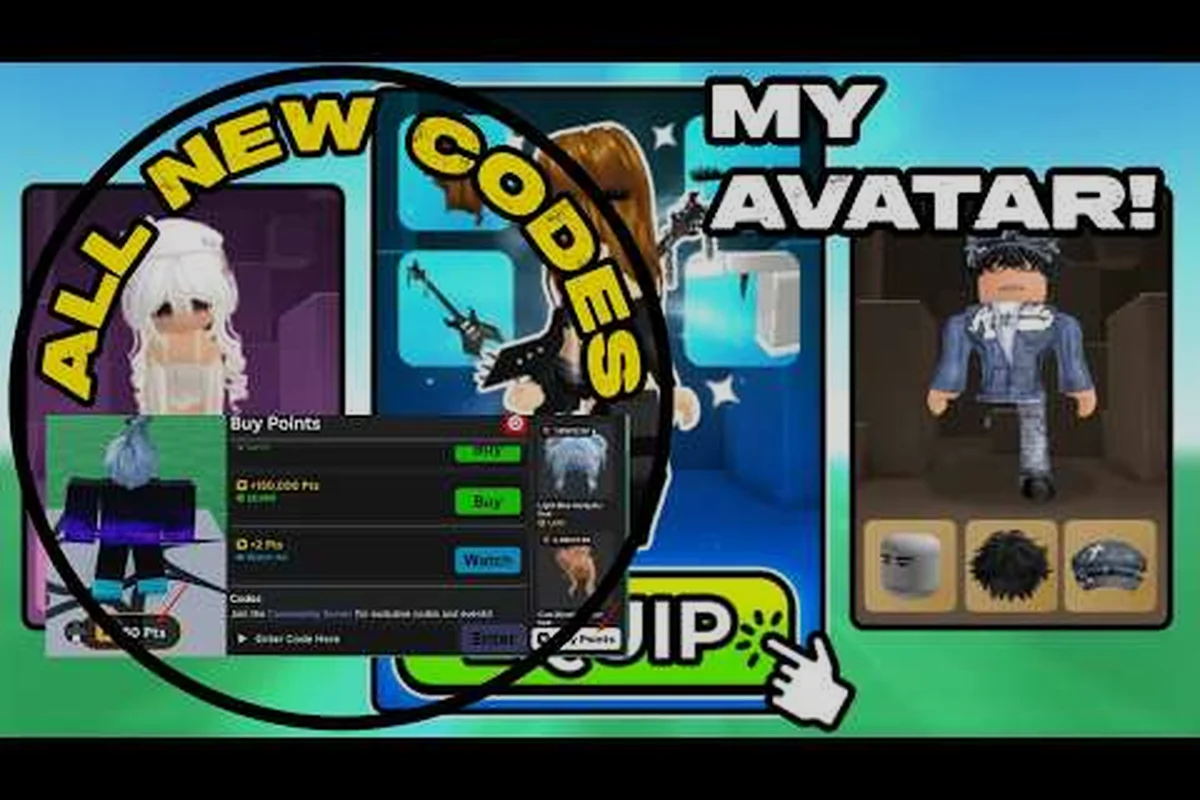
Building a standout look in My Avatar is less about owning the most expensive single item and more about how you assemble pieces into a coherent whole. The my avatar outfit maker approach treats the Roblox catalog as a giant mixing board, where the right combination of free Point Store accessories and catalog finds can produce a look that reads as rare even when the individual parts cost nothing. This matters because Points are a limited currency, and every purchase you regret is a resource you cannot recover. The fastest path to a wardrobe that turns heads is to stop buying items in isolation and start thinking in complete outfit recipes.
Understanding the My Avatar Outfit Maker Workflow
The core loop in My Avatar is simple on the surface: browse the full Roblox catalog, try on community-made outfits, preview items before equipping, and earn Points through in-game shopping that you can spend in the Point Store on over 100 free accessories. According to the official My Avatar page on Roblox, everything you buy is saved to your own Roblox inventory and works across every experience on the platform. That cross-experience compatibility is the hidden multiplier that makes outfit investment worthwhile, because a single strong look pays dividends in every game you join.
The my avatar outfit maker mindset flips the default behavior. Instead of asking "is this item cool?" you ask "does this item complete a silhouette I already own?" That shift changes how you evaluate every catalog listing. A neon green fedora might look ridiculous next to a gothic coat, but paired with a matching neon visor and streetwear jacket, it becomes the anchor of a cohesive cyberpunk fit. The difference is not the item itself but the recipe you slot it into.
| Outfit Maker Stage | What You Do | Common Mistake |
|---|---|---|
| Catalog Scan | Browse full Roblox catalog with a theme in mind | Buying items with no theme, hoping they match later |
| Preview Check | Try on pieces before equipping to test color harmony | Skipping preview and discovering clashes after purchase |
| Point Budgeting | Reserve Points for accessories that complete a look | Spending Points on impulse items you never wear |
| Inventory Audit | Review owned items and identify gaps in your wardrobe | Forgetting what you own and rebuying similar pieces |
The workflow is not complicated, but it requires discipline. Players who treat the my avatar outfit maker as a deliberate process rather than a random shopping spree consistently report higher satisfaction with their final looks, according to community feedback threads. The key is to always have a target aesthetic in mind before you open the catalog.
Why Random Combinations Beat Single Grail Items
A my avatar random outfit approach sounds counterintuitive, but randomness is a powerful creative engine when you constrain it properly. Instead of chasing one grail item that everyone else also wants, you pull three or four random pieces from different categories and force yourself to make them work together. This produces my avatar unique outfits that no one else is wearing, because the specific combination is unlikely to be replicated by another player.
The Point Store is the best place to run this experiment, since its 100+ free accessories let you test wild combinations without spending a single Point. You can throw together a random hat, a random face accessory, and a random back item, then ask whether the result looks intentional. When it does, you have a my avatar outfit generator moment: a look that emerged from constraint rather than curation. When it does not, you have lost nothing and learned something about color pairing.
Building Expensive-Looking Outfits on a Point Budget
The most common goal players mention is creating my avatar expensive outfits without actually spending Robux on limited items. The trick is understanding what makes an outfit read as expensive in the first place. Expensive looks usually share three traits: color cohesion, layering depth, and silhouette clarity. None of these traits require rare items; they require deliberate assembly.
Color cohesion means limiting your palette to two or three colors that appear across multiple pieces. A black-and-gold outfit where the hat, jacket, and shoes all share the same gold accent reads as premium because it looks designed. Layering depth means combining items that occupy different visual planes, like a jacket over a shirt with a neck accessory on top. Silhouette clarity means the overall shape of your avatar is readable from a distance, which is why oversized items paired with slim items often look better than all-oversized or all-slim combinations.
| Budget Strategy | How It Works | Result |
|---|---|---|
| Two-Color Lock | Pick two colors and only buy items containing both | Cohesive, designed look |
| Free Accessory Stack | Layer 3+ Point Store items that share a theme | Depth without spending Points |
| Silhouette Contrast | Pair one oversized item with slim-fitting pieces | Readable, premium shape |
| Catalog Deep Dive | Sort by oldest or least popular to find overlooked gems | Rare-feeling pieces no one else wears |
The my avatar outfit maker philosophy treats the Point Store as a testing ground and the wider catalog as a sourcing ground. You test combinations for free, then spend Points only on the accessory that completes a look you have already validated. This is the opposite of the impulse-buy loop that drains Points on items that sit unused in your inventory.
Mining the Point Store for Hidden Gems
The Point Store is the most underrated resource in My Avatar because players dismiss free items as low-value. In practice, many Point Store accessories are recolors or simplified versions of catalog items, which makes them perfect for testing whether a certain style suits your avatar before you commit Points to a premium version. The store rotates its stock, so checking it regularly is part of the my avatar outfit maker routine.
Community reports suggest that the best Point Store finds are often face accessories and back items, because these categories have the highest visual impact per item. A striking face accessory changes your avatar's entire expression and reads immediately in any game. A back item like wings or a cape adds silhouette drama that makes even a basic shirt and pants combination look intentional. The my avatar free outfits guide covers the full rotation of no-cost pieces, but the short version is that you should treat every Point Store visit as a sourcing run for your next outfit recipe.
Generating Rare-Feeling Looks Through Combination Logic
My avatar rare outfits do not require owning actual limited items, because rarity is a perception driven by unfamiliarity. When players see a combination they have never encountered before, they assume the pieces are rare even if each individual item is common. This is the core insight behind the my avatar outfit generator approach: novelty is manufactured through combination, not acquisition.
The most reliable way to manufacture novelty is to combine items from different style families. A fantasy crown paired with a modern streetwear jacket creates a tension that reads as custom. A sci-fi visor paired with a vintage suit does the same. These cross-genre combinations are rare precisely because most players stay within a single aesthetic lane, so the player who mixes lanes stands out immediately.
| Combination Logic | Example Pairing | Why It Reads Rare |
|---|---|---|
| Cross-Genre Mix | Fantasy crown + streetwear jacket | Tension between styles reads as custom |
| Era Collision | Sci-fi visor + vintage suit | Unexpected pairing feels curated |
| Color Isolation | All-white outfit with one red accent | Restraint signals design intent |
| Theme Subversion | Cute face + gothic coat | Contrast creates memorable silhouette |
The my avatar outfit maker excels at this because it encourages you to hold two unrelated items side by side and ask what story they tell together. That question is the engine of every memorable outfit, and it costs nothing to ask. The my avatar outfit ideas guide is a useful reference when you need a starting theme, but the real work happens when you start mixing across the boundaries those themes imply.
Using the Preview System to Avoid Point Waste
The preview system in My Avatar is your most important tool for avoiding wasted Points, because it lets you test any catalog item on your avatar before equipping or buying. The my avatar outfit maker workflow depends on this feature: you assemble a full look in preview, walk around to see how it reads in motion, and only then commit Points to the pieces you actually need.
A practical routine is to preview three variations of any outfit idea before spending. Variation one uses only items you already own. Variation two adds one Point Store item. Variation three adds one catalog item you are considering. Comparing the three side by side makes it obvious whether the catalog item is actually pulling its weight or whether the free version is just as good. This comparison step is where most Point waste gets eliminated, because you catch mismatches before they cost you anything.
Avoiding the Mismatched Item Trap
The biggest Point sink in My Avatar is the mismatched item trap: buying an item because it looks cool in isolation, then discovering it clashes with everything else you own. The my avatar outfit maker approach prevents this by requiring every purchase to complete a look you have already previewed. If an item does not slot into at least one existing outfit recipe, it stays in the catalog.
This rule sounds strict, but it is the single highest-leverage habit you can adopt. Players who follow it report that their wardrobe feels more cohesive after just a week, because every new item has a purpose. Players who ignore it accumulate a graveyard of cool-but-unwearable pieces that drain Points and clutter the inventory. The difference is not taste; it is process.
| Trap | How It Happens | Prevention |
|---|---|---|
| Impulse Buy | Seeing a cool item and buying instantly | Preview it in a full outfit first |
| Theme Drift | Buying items from many styles with no anchor | Lock a two-color palette before shopping |
| Duplication | Forgetting you own a similar item | Audit inventory before each shopping session |
| Point Drain | Spending Points on items you never equip | Require every purchase to complete a previewed look |
The my avatar outfit maker is fundamentally a prevention system. It prevents wasted Points, prevents wardrobe clutter, and prevents the regret that comes from buying items that look good in the thumbnail but bad on your avatar. The my avatar outfit showcase guide demonstrates how a curated wardrobe looks in practice, but the principle is simple: every item earns its place by completing a look.
The Role of Community-Made Outfits
My Avatar lets you browse and try on community-made outfits, which is an underused shortcut for the my avatar outfit maker process. Instead of starting from scratch, you can load a community outfit that matches your target aesthetic, then swap out individual pieces to make it your own. This gives you a validated starting point and saves the time you would spend hunting for compatible items.
Community outfits are also a great way to discover items you did not know existed. When you try on a look and notice a specific accessory that ties it together, you can check that item and add it to your mental catalog. Over time, this builds your knowledge of the catalog's hidden gems, which makes your own outfit recipes stronger. The key is to treat community outfits as inspiration and starting points, not as final looks to copy.
Frequently Asked Questions
How does the my avatar outfit maker help me save Points?
The my avatar outfit maker approach requires you to preview a full outfit before spending any Points, which eliminates impulse buys that end up unused. By testing combinations with free Point Store items first, you validate a look before committing currency to premium pieces, so every Point goes toward an item that actually completes a cohesive outfit.
Can I make expensive-looking outfits without spending Robux?
Yes. Expensive-looking outfits rely on color cohesion, layering depth, and silhouette clarity, none of which require rare items. By locking a two-color palette, stacking free Point Store accessories, and pairing one oversized piece with slim-fitting items, you can create a premium look using only free or low-cost catalog pieces.
What is the best way to use the random outfit feature?
Use random combinations as a creative engine rather than a final result. Pull three or four random pieces from different categories, force them into a coherent look by adjusting colors and layering, and keep the combinations that read as intentional. This produces unique outfits that no other player is likely to replicate.
How often should I check the Point Store?
Check the Point Store regularly, since its stock rotates and new free accessories appear over time. A quick visit before each shopping session lets you spot new pieces that might complete an outfit you are building, and the 100+ free accessories provide a constant source of testing material for new combinations.
Why do my outfits look mismatched even when I buy cool items?
Mismatched outfits usually result from buying items in isolation without a unifying theme. Each item looks good on its own, but the colors, styles, and silhouettes clash when combined. The fix is to lock a two-color palette and a target aesthetic before shopping, then require every purchase to complete a look you have already previewed.