
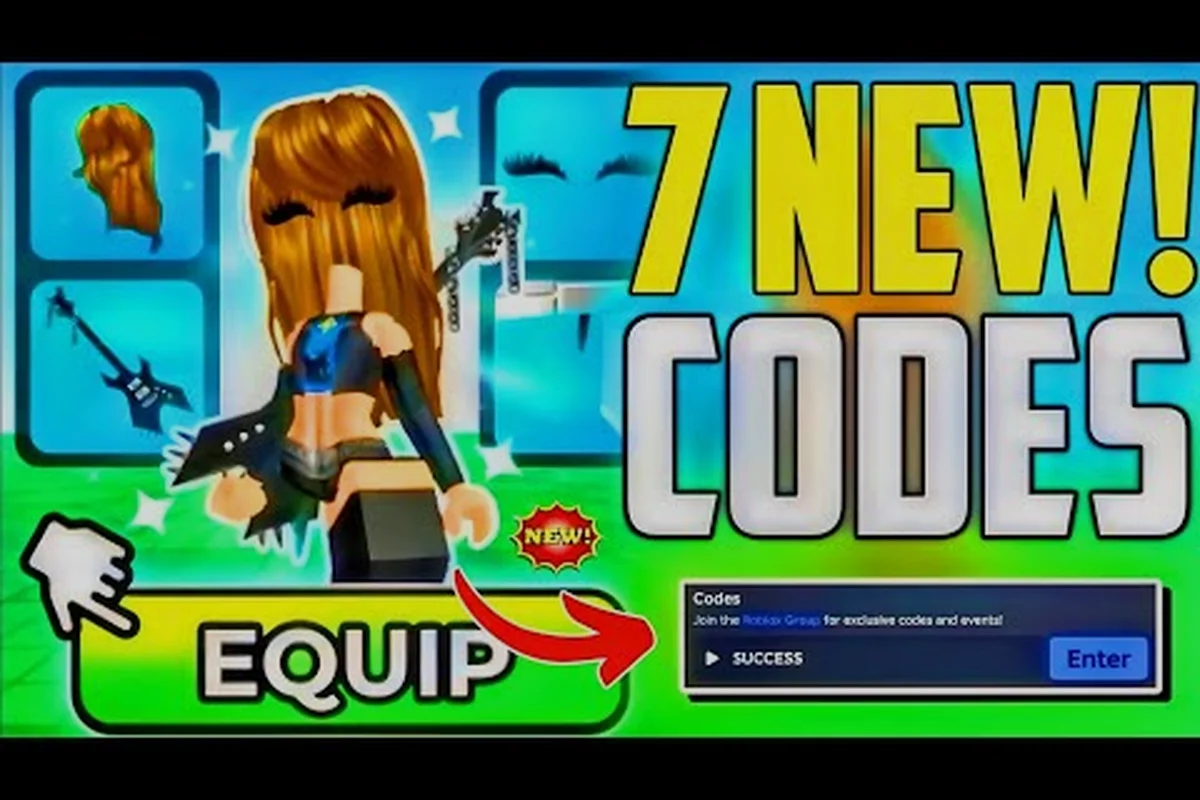
Learning how My Avatar works matters because this Roblox experience turns catalog browsing into a reward loop that most players never fully exploit. Instead of treating it as another avatar editor, you can earn Points while shopping, unlock free accessories, and build a wardrobe that carries across every Roblox game. This my avatar ultimate guide breaks down the complete workflow from first login to a fully customized inventory.
Following My Avatar's Shopping Loop From Browse to Equip
My Avatar is not a traditional game with levels or combat. It is a catalog browsing experience where the core loop revolves around trying on community-made outfits, previewing items, and earning Points through in-game shopping activity. According to the official My Avatar page, the experience has accumulated over 415 million visits and 5.2 million favorites since its launch on April 17, 2025, with a roughly 91% like ratio from players. Those numbers signal a heavily optimized loop that keeps players engaged without demanding complex mechanics.
The developer behind the experience, THINK DIFFERENT., is a verified Roblox group led by LuaBearyGood with over 3.04 million members. The group publishes updates, community outfit showcases, and code giveaways through its official channels. In April 2026, Super League took an ownership stake in the experience, which suggests continued investment and future content updates. Understanding this ecosystem helps you anticipate where new items and codes will appear.
The fundamental flow works like this: you browse the full Roblox catalog inside the experience, try on outfits to see how they look on your avatar, and preview items before equipping them. Shopping in-game earns Points, which you can then spend in the Point Store on more than 100 free accessories. Everything you buy is saved to your own Roblox inventory and works across every experience on the platform. This cross-game persistence is the key value proposition that separates My Avatar from isolated avatar editors.
| Shopping Loop Stage | What Happens | Player Benefit |
|---|---|---|
| Browse Catalog | View full Roblox catalog inside the experience | Access to community-made outfits without leaving the game |
| Try On Outfits | Preview items on your avatar before equipping | Avoid wasting Points on items that do not fit your style |
| Earn Points | Shopping activity generates Points | Build currency for free accessories |
| Spend in Point Store | Redeem Points for 100+ free accessories | Expand wardrobe without spending Robux |
| Save to Inventory | Purchases sync to your Roblox inventory | Items work across every Roblox experience |
The loop is intentionally simple, but the optimization opportunities are deeper than they first appear. Players who understand how Points accumulate, where codes drop, and which Point Store items offer the best value can build a substantial wardrobe without spending real money. The rest of this guide maps out each stage in detail.
Navigating the Catalog and Preview System
The catalog inside My Avatar mirrors the full Roblox catalog, but with a critical difference: you can preview items on your avatar before committing to a purchase. This preview system eliminates the guesswork that typically accompanies Roblox avatar shopping, where you often buy an accessory only to discover it clips through your character's head or clashes with your existing outfit. The preview mechanic is the single most valuable tool for avoiding wasted Points.
When you open the catalog, you will see community-made outfits alongside official Roblox items. The experience surfaces trending outfits and popular accessories, but you can also search for specific items using keywords. Once you find an item you like, select it to open the preview window. Your avatar will display the item immediately, allowing you to rotate the camera and check how it looks from multiple angles. This is especially important for hats, hair, and layered clothing, where clipping issues are common.
The catalog also includes a saved outfits feature that lets you store combinations you want to revisit later. Rather than rebuilding a look from scratch every time you log in, you can save the outfit and load it with a single click. This feature ties directly into the broader customization workflow, and the outfit saving guide covers the step-by-step process for organizing your saved looks efficiently.
| Catalog Feature | Function | Best Use Case |
|---|---|---|
| Full Catalog Access | Browse all Roblox catalog items in-game | Finding new accessories without leaving the experience |
| Preview Before Equip | See items on your avatar before buying | Avoiding purchases that clip or clash |
| Community Outfits | Try on outfits created by other players | Discovering complete looks instead of individual pieces |
| Search and Filter | Find specific items by keyword | Locating a particular accessory or clothing item |
| Saved Outfits | Store combinations for later use | Quickly switching between favorite looks |
Community outfits deserve special attention because they represent complete styling solutions rather than individual pieces. When you try on a community outfit, you see how multiple items work together as a cohesive look. This can teach you styling principles that you can then apply to your own combinations. Many players report that browsing community outfits is the fastest way to develop an eye for what works on their avatar's specific body type and proportions.
Mastering the Point Store and Free Accessories
The Point Store is where your earned Points convert into tangible wardrobe additions. It contains more than 100 free accessories that rotate and update over time, giving you a constantly changing selection of items to pursue. Understanding how the Point Store works is essential because it represents the primary free-to-play progression path in My Avatar. The Point Store guide provides a deeper breakdown of current inventory and item values.
To access the Point Store, look for the Point Store button in the main interface. The store displays available accessories along with their Point costs. Some items are permanently available, while others rotate on a limited-time basis. Limited items create urgency, but they also reward players who check the store regularly. The Point Store inventory updates periodically, so checking back after major game updates or developer announcements is a reliable way to catch new additions.
The relationship between Points and the Point Store is straightforward: shopping activity generates Points, and Points unlock free accessories. However, the rate at which you earn Points can vary based on your activity level and whether you take advantage of code redemptions. Players who combine regular shopping sessions with active code redemption build their Point balance significantly faster than those who only shop occasionally.
| Point Store Category | Typical Cost Range | Availability Pattern |
|---|---|---|
| Hats and Headwear | 50-200 Points | Mix of permanent and rotating items |
| Face Accessories | 30-150 Points | Frequently updated with new designs |
| Back Items | 100-300 Points | Less frequent updates, higher value |
| Shoulder Accessories | 50-150 Points | Seasonal rotations common |
| Full Outfit Bundles | 200-500 Points | Limited-time releases |
The free accessories in the Point Store are not low-quality filler. Many items are designed specifically for My Avatar and feature unique aesthetics that you will not find in the standard Roblox catalog. This exclusivity adds collectible value to Point Store purchases, especially for limited-time items that may never return. Players who prioritize limited items often build the most distinctive wardrobes because their accessories cannot be easily replicated by other players.
Cashing In Codes for a Point Store Boost
Code redemption is the fastest way to boost your Point balance without additional shopping activity. The developers release codes through the official THINK DIFFERENT. Discord server and other community channels, with codes typically granting free Points that you can spend immediately in the Point Store. According to Game Rant's code tracker, codes such as 50Points grant 50 free Points, while older codes like 100POINTS may expire at any time.
The redemption path is simple but easy to miss if you do not know where to look. Open the Point Store, select the Buy Points option, and paste your code into the Enter Code Here box. The Points land in your balance immediately after successful redemption. This flow is consistent across all code types, whether the code grants Points directly or unlocks a specific accessory. The Point earning guide details additional methods for building your balance beyond code redemption.
Code availability changes frequently, and expired codes are common. The official Discord is the primary channel where new codes are released, so joining that server is the most reliable way to stay current. Community trackers like Game Rant and Pro Game Guides also maintain updated lists, but they can lag behind official announcements by hours or days. Checking multiple sources reduces the risk of missing a time-sensitive code.
| Code Source | Update Frequency | Reliability |
|---|---|---|
| Official Discord | Real-time announcements | Highest reliability |
| Game Rant Code Tracker | Daily updates | High reliability |
| Pro Game Guides | Weekly updates | Moderate reliability |
| Community YouTube Channels | Irregular | Variable, verify before using |
| In-Game Announcements | Event-based | High reliability for event codes |
The Buy Points option also includes a premium path where you can purchase Points directly with Robux. This is entirely optional and not required to enjoy the experience. The free code system and shopping-based Point earning provide a complete progression path without spending real money. Players who do choose to buy Points typically do so to grab limited-time items before they rotate out of the Point Store.
Creating Your Own Customization Pipeline in My Avatar
The difference between casual players and efficient wardrobe builders comes down to workflow. Instead of treating each shopping session as an isolated event, you should approach My Avatar as a continuous customization pipeline where browsing, previewing, earning, and redeeming feed into each other. This section maps out a complete workflow that maximizes your Point efficiency and wardrobe quality.
Start every session by checking the Point Store for new or rotating items. This takes less than a minute and ensures you never miss a limited-time accessory. Next, browse the catalog with a specific goal in mind, whether that is finding a new hat, completing an outfit theme, or discovering community outfits for inspiration. Use the preview system aggressively to test items before committing. Finally, check for active codes and redeem any that you have not used yet. This four-step routine covers the entire value loop in under five minutes.
The catalog browsing guide expands on search strategies and filter techniques that make catalog sessions more productive. Rather than scrolling endlessly through the full catalog, you can use targeted searches to surface items that match your specific style preferences. This saves time and reduces decision fatigue, which is especially valuable when the catalog contains thousands of community-made items.
| Workflow Step | Time Investment | Expected Outcome |
|---|---|---|
| Check Point Store | 1 minute | Catch new and rotating items |
| Browse Catalog with Goal | 10-20 minutes | Find specific items or inspiration |
| Preview and Test Items | 5-10 minutes | Avoid bad purchases |
| Redeem Active Codes | 2 minutes | Boost Point balance |
| Save Outfit Combinations | 3 minutes | Build reusable looks |
The saved outfits feature deserves emphasis because it transforms your wardrobe from a collection of individual items into a set of ready-to-wear looks. When you save an outfit, you capture the full combination of clothing, accessories, and colors. Loading that outfit later applies everything at once, which is dramatically faster than re-equipping each item manually. Players who maintain a library of saved outfits can switch between completely different aesthetics in seconds.
Frequently Asked Questions
How do I earn Points in My Avatar?
Points accumulate through shopping activity inside the experience, including browsing the catalog, trying on outfits, and previewing items. The exact rate varies based on your activity level, but consistent engagement builds your balance steadily. Code redemption provides an additional boost, with codes like 50Points granting 50 free Points instantly.
Where do I redeem My Avatar codes?
Open the Point Store, select the Buy Points option, and paste your code into the Enter Code Here box. The Points land in your balance immediately after successful redemption. The official Discord is the primary channel where new codes are released, with community trackers providing backup coverage.
What can I buy in the Point Store?
The Point Store contains more than 100 free accessories, including hats, face accessories, back items, shoulder accessories, and full outfit bundles. Some items are permanently available, while others rotate on a limited-time basis. Limited items create collectible value and may never return after they rotate out.
Do Point Store items work in other Roblox games?
Yes, everything you buy in My Avatar is saved to your own Roblox inventory and works across every experience on the platform. This cross-game persistence is a core feature of the experience, meaning your Point Store accessories are not locked to My Avatar alone.
Is My Avatar free to play?
The experience is completely free to play, with all core features accessible without spending Robux. The Buy Points option provides a premium path for players who want to accelerate their Point balance, but the free code system and shopping-based earning provide a complete progression path without real money.